
The App Store has dozens of water tracking apps, and most of them get deleted within a week or two. That’s not really a hydration problem — it’s a design problem. Almost every one of these apps can log a glass of water. Very few of them make you want to keep opening the app on day 12.
If you’re picking one, here’s what actually separates the apps that stick from the ones that quietly end up back in a folder called “Health.” If you’d rather skip the criteria and go straight to specific apps, we ranked the nine best water tracking apps for iPhone against exactly this list.
1. Logging takes one tap, not a form
If adding a drink means opening the app, tapping a plus button, typing an amount, and confirming, you’ve already lost. The apps people actually keep using let you log in a single tap, with cup sizes set to how you really drink — not a generic 250ml default you have to override every single time.
2. Reminders that know when to stop
A reminder every two hours sounds helpful until it keeps buzzing at 6pm after you already hit your goal at 3. Nagging notifications are the single most common reason people turn off reminders entirely, which quietly kills the whole habit loop. Look for reminders that run in a window you choose and stop for the day once you’re done — more on this in water reminders that don't turn into nagging.
3. No account required to start
A water tracker is about as low-stakes as health data gets, and yet plenty of them still gate the basic act of logging a glass behind an email sign-up. If an app can’t log a drink until you’ve created an account, that’s friction with no benefit to you — and it’s worth asking what they’re doing with that account afterward.
4. Some kind of feedback loop
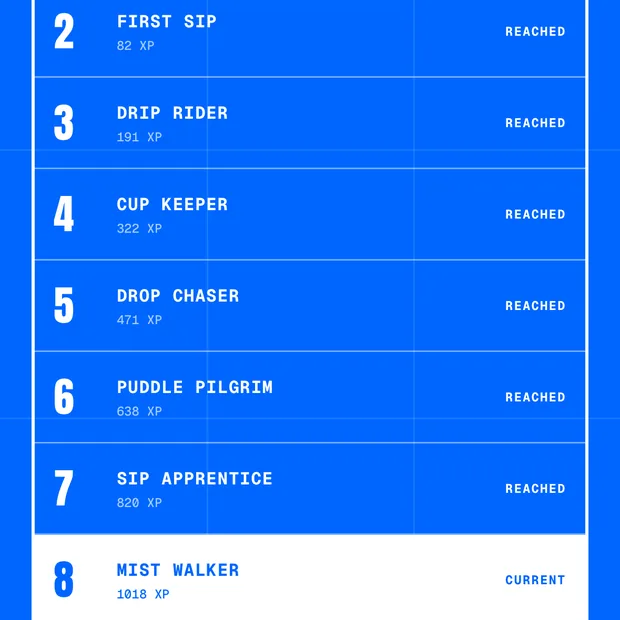
A running total is the minimum. The apps that actually change behavior add a layer on top of it — streaks, levels, XP, milestones, anything that turns “I drank water today” into a small, visible win instead of a number that resets to zero every midnight with nothing to show for yesterday. This matters more than it sounds: it's the fix for why hydration habits fail in the first place.
5. A goal you set, not one it assumes
Everyone’s target is different (see: how much water you should actually drink a day). An app that locks you into a fixed default, or makes changing your goal a buried settings hunt, is optimizing for its own simplicity, not yours.
6. It's honest about what's free
Plenty of hydration apps dangle core logging behind a paywall or a “free trial” that auto-converts to an annual charge. Look for one where the basics — logging, a goal, reminders — are actually free, with premium reserved for genuine extras rather than the features you need on day one.
7. It respects that this is health data
Where your hydration data lives matters. An app that keeps your logs on your device rather than a server, and doesn’t need an account to function, has a much smaller footprint for that data to go anywhere you didn’t expect.
Where AquaJoy fits
AquaJoy was built around exactly this list: one-tap logging with quick-add sizes you set, reminders that go quiet the moment you hit your goal, no account or sign-up required, and a goal that’s yours to set and change. On top of the tracking, every log earns XP toward one of 100 levels and unlocks collectible pins at hydration milestones — so the habit has a scoreboard instead of just a number that resets at midnight. Logging, your daily goal, reminders, streaks, and the first ten levels are free; Premium is optional and unlocks custom cup sizes, the rest of the levels, the full pin album, and Apple Health sync.
See it against your own list. It's free to try.
Download AquaJoy free